 QR Handler
Make any QR code. See what's inside before it opens.
QR Handler turns a link, a WiFi network, a contact card, an email, a phone number or a message into a code in seconds. And when you point it at someone else's code, the full contents come up first — the actual link, the actual network, the actual contact — then you decide what happens.

Scan it with your phone — it's real. Encoded and drawn right here in your browser; nothing you type leaves this page. The app does this plus WiFi, contact, email, phone and SMS codes, social templates, save & share.
Three seconds, and nothing happens without you.
Most scanners open whatever they read. QR Handler treats every code as a stranger until you've seen its ID.
Point it at anything
QR codes, or the barcodes on real things. Flashlight and 1×/2×/3× zoom handle dim rooms and far-away posters — or scan straight from a photo in your gallery.
See everything first
The result is instant, and it's the whole result:
You decide
Open the link, copy the password, save the contact, add the event — or just walk away. Nothing fires automatically, and unsafe link types are blocked outright.
Four tabs. Zero mystery.
Scan, Create, History, Settings — this is the whole app, and it stays out of your way.
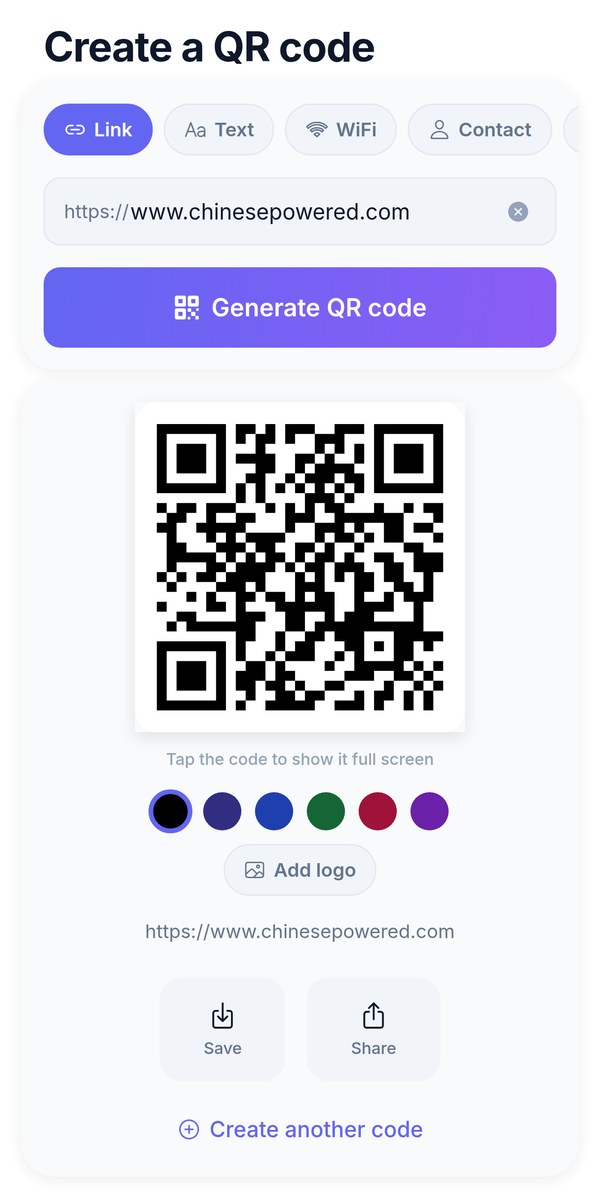
Create
A link, some text, a WiFi network — a scannable code in two taps.
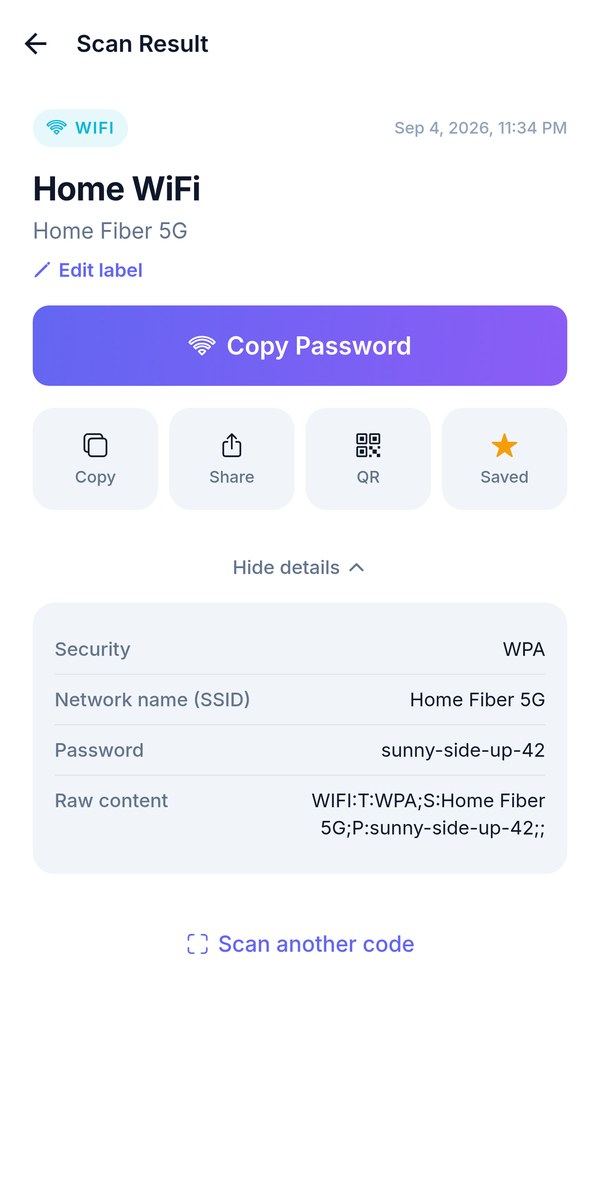
Scan result
The full contents, every time — with one-tap copy, share, save, label or re-display as a QR.
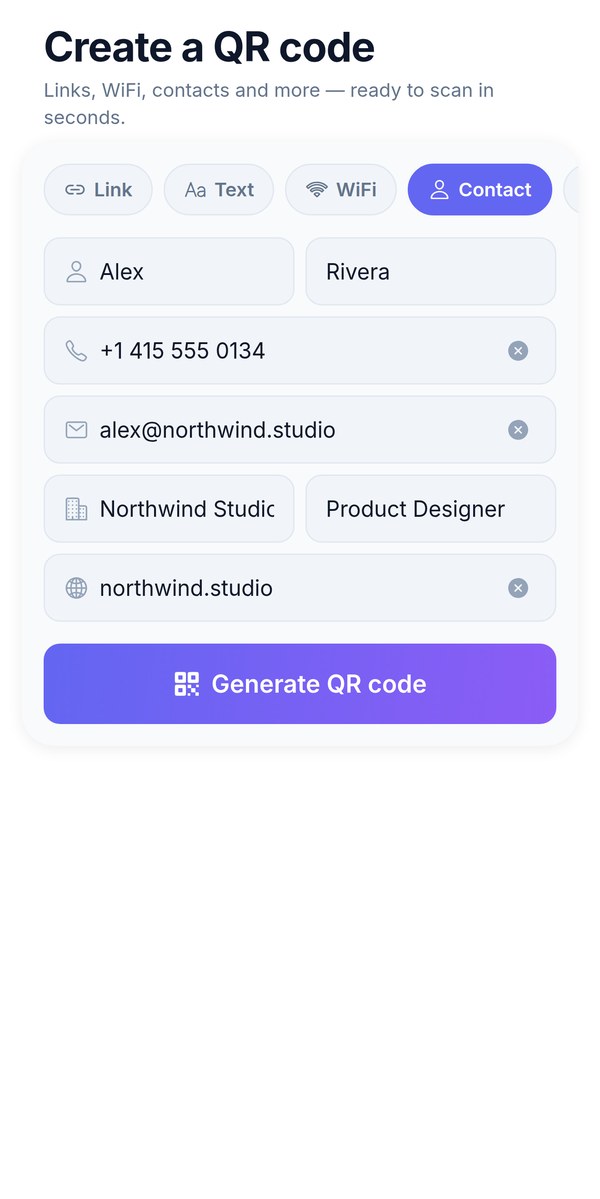
Contact cards
A vCard that drops straight into anyone's contacts — plus email, phone and SMS codes.
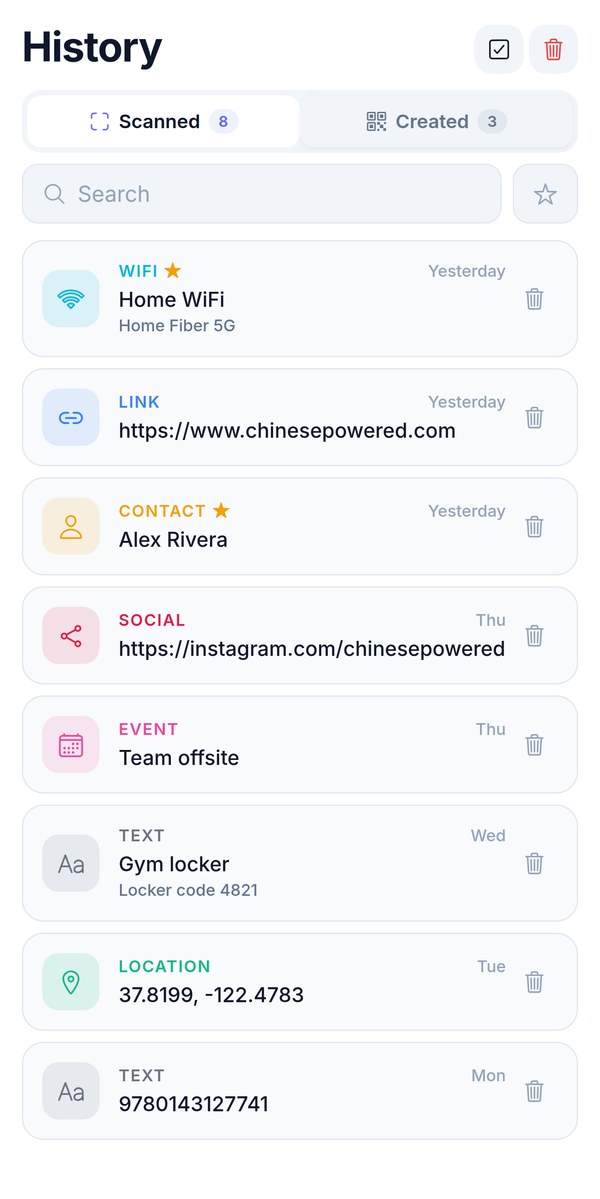
History
Everything you scan and create, searchable, with labels and favorites — on your device only.
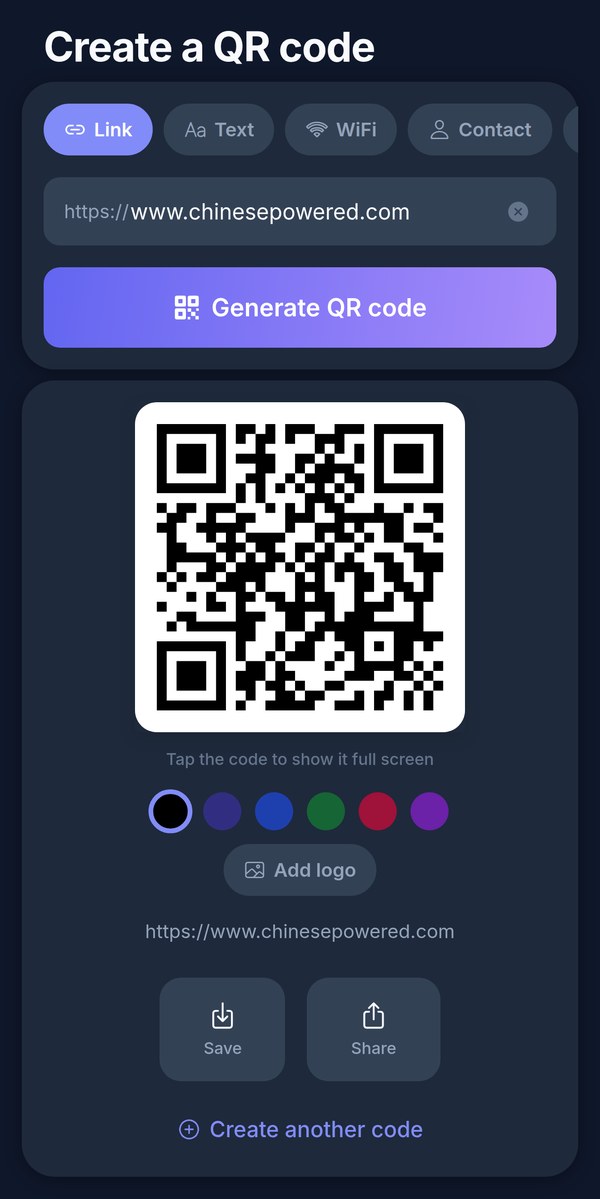
Dark mode
A proper dark theme, haptic feedback and buttery navigation.
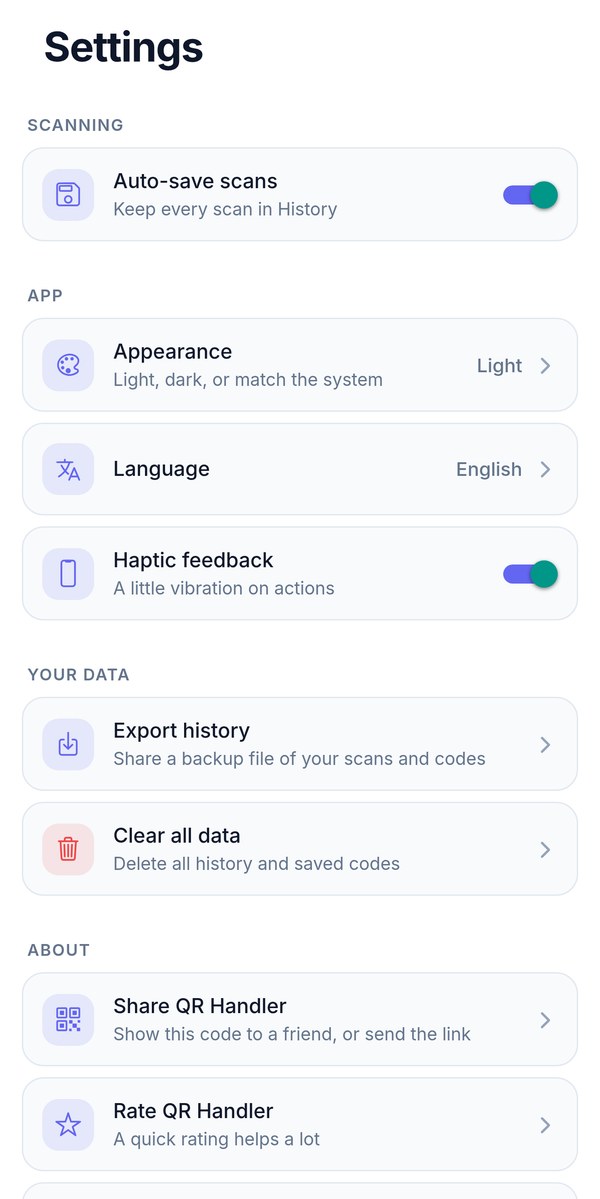
Settings
Seven languages, light or dark, and a one-tap export of everything you've saved.
If it's a code, it reads it.
Inside a QR code
Each type gets smart actions — after you've seen the contents.
And the barcodes on things
The stripes on products, tickets and parcels all scan too.
Flash + zoom
A flashlight for dim rooms and 1×/2×/3× camera zoom for small or far-away codes.
Photos and pasted links
A code in a screenshot? Open it from your gallery. A link in a message? Paste it and QR Handler decodes it the same way.
Unsafe links blocked
Link schemes that could do harm are refused outright — they never even get an "open" button.
Links, WiFi, contacts, your colors.
The same two-tap simplicity in the other direction: turn anything you want to share into a code that any phone can read.
- Links, plain text, and WiFi networks — guests scan, they're on
- Contact cards (vCard), email, phone and SMS codes that open the right app prefilled
- One-tap templates for 11 social platforms
- Save to your photo library or share anywhere
- Label and favorite anything, re-display it as a QR, export a backup
There is no server.
Not "we don't sell your data" — there's nowhere to send it. The whole app runs on your phone.
No account
No sign-up, no login, no email. Install and scan.
Works offline
Scanning, generating and history need no connection at all.
On-device history
Scans, favorites and settings never leave your phone — and survive app updates.
Delete means delete
Remove an item or wipe your history and it's gone. There's no copy anywhere else — export one yourself if you want it.
The short answers.
Is it free?
Yes. QR Handler is free on both stores, supported by a small banner ad and an occasional interstitial that only appears after you already have your result — never in the middle of a scan. Nothing is paywalled: scanning, generating, history and every code type are all included.
What can it scan?
QR codes containing links, WiFi credentials, contact cards (vCard), calendar events, email addresses, phone numbers, SMS, locations and plain text — plus product barcodes: EAN-13, EAN-8, UPC-A, UPC-E, Code 39, Code 93, Code 128, Aztec, Data Matrix, PDF417 and Codabar.
Is it safe to scan unknown codes?
Safer than most: QR Handler never acts on a code automatically. You always see the complete contents — the actual URL, the actual network name, the actual contact — before choosing what happens, and unsafe link types are blocked outright.
Does it work offline?
Yes. Scanning, generating, and your history all work with no connection — you only need internet to open a scanned link in your browser.
Do I need an account?
No sign-up, no login, no cloud. Everything is saved on your device and survives app updates.
Where does my scan history go?
Nowhere. There is no server — history, favorites and settings live only on your device, nothing you scan or create is uploaded anywhere, and delete means delete. You can export a backup file from Settings whenever you like.
What kinds of QR codes can it create?
Links, plain text, WiFi networks, contact cards (vCard), email, phone numbers, SMS, and one-tap templates for 11 social platforms — in six scannable colors, saved to Photos or shared anywhere.
Which languages does it speak?
English, Spanish, Portuguese, German, French, Japanese and Simplified Chinese. It follows your device language, and you can pin one in Settings.
The next code you meet,
know it before you trust it.
Free. No account. Seven languages. Codes in seconds.